Create an SEO Plan Using Perplexity: Topical Map, Not the Citation Hub
 AI Edited
Last updated: 30 August 2026
Create an SEO plan using Perplexity by mapping one central entity to pillar URLs, supporting nodes, and a 90-day publish sequence grounded in live citations.
TLDR
- This URL is the roadmap. The Perplexity Pro hub is the catalog and crawler policy. Different H1, different intent.
- Perplexity is a research engine with citations. It is not a search-volume tool. Pair live sources with Search Console or a SERP API for numbers.
- Google still ranks helpful, people-first pages (creating helpful content). A topical map that ships duplicate H1s fails that bar.
- Export a table: URL, parent, intent, first H2, internal links in, internal links out.
- Run
npx @seoskillsai/cli run seo-plan --agent perplexity --target "https://example.com"after the map exists. Prompt-only lists without a URL inventory cannibalize live pages.
Contents
- What a Perplexity topical roadmap is
- Map entities, not a flat keyword dump
- Keep the hub and the plan on different intents
- Run seo-plan in Perplexity Pro
- FAQ
- Related reading
- Sources
What a Perplexity topical roadmap is
A topical roadmap is a graph of pages: one parent hub, supporting URLs, and the links that prove the relationship. Perplexity helps enumerate subtopics with cited sources. Volume, position, and CTR still come from Search Console or a licensed SERP API.
The universal skill page is AI SEO strategy & topical roadmap. This page is the Perplexity Pro runtime: perplexity_geo_rules.md plus live-cited research.
Do not ask the model for “the best keywords” as a substitute for inventory. Ask for missing entities and questions relative to a seed page list you already own.
Map entities, not a flat keyword dump
 AI Edited

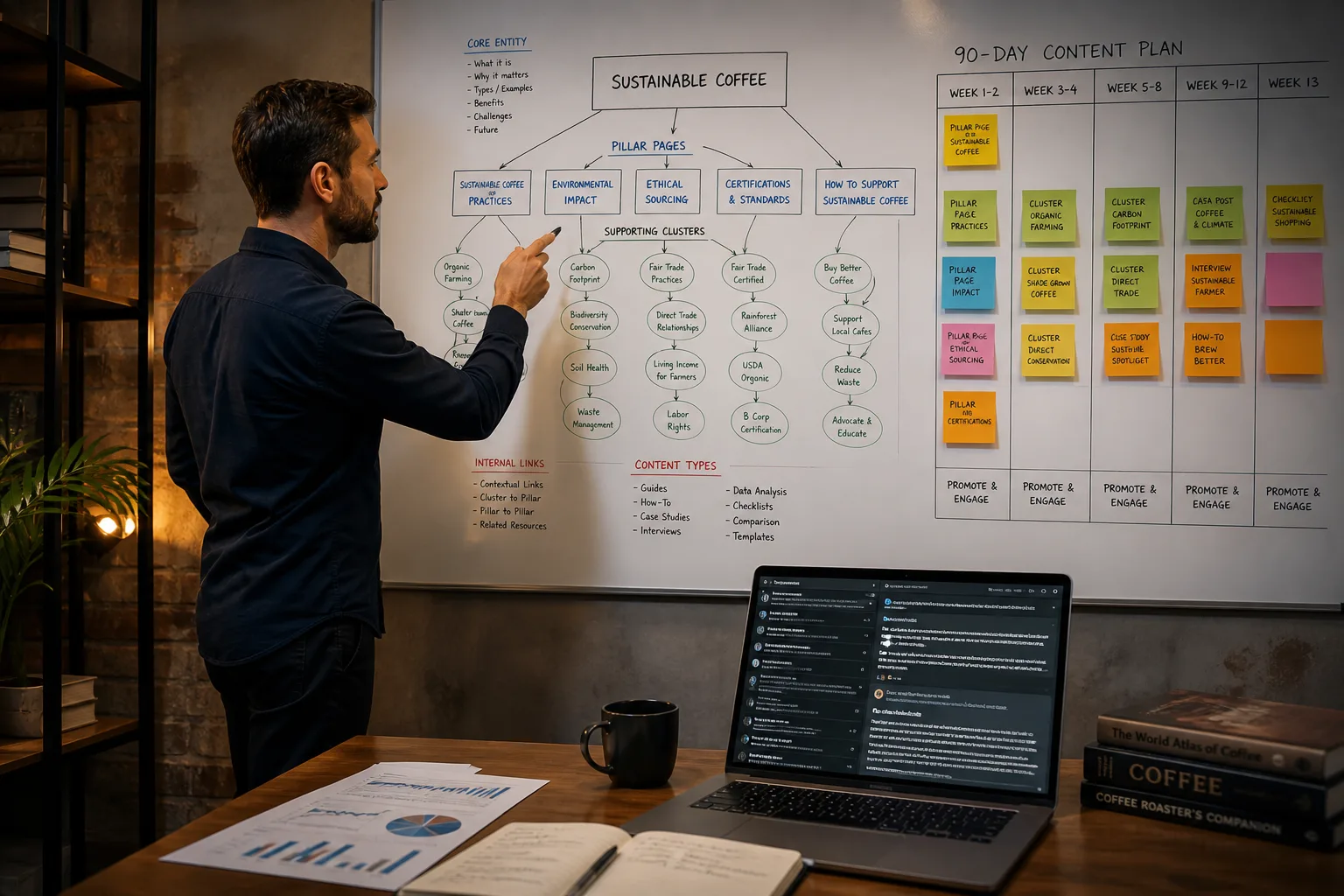
Entity-first planning:
- Name the central entity (product, standard, or dataset).
- List child entities that need their own URL.
- Assign one primary intent per URL (definition, how-to, comparison, tool).
- Draw parent → child links and sibling links only where the relationship is real.
- Schedule publish order so the parent exists before the children that point up.
| Column | Rule |
|---|---|
| URL | Locked path. Do not invent a prettier slug for a live page. |
| Intent | One job. Hub ≠ plan ≠ audit. |
| Evidence | At least one primary-source citation Perplexity returned. |
| Internal in | From parent or sibling. |
| Internal out | To parent plus one related skill. |
Use the SERP overlap calculator when two draft titles share the same head query. First-party GSC on this site already showed the hub and this template splitting one head query. Distinct H1s are the fix.
Keep the hub and the plan on different intents
The hub answers “how do I run SEO skills in Perplexity Pro and allow the crawlers?” This page answers “how do I sequence URLs and topics?”
Repeating the hub H1 here recreates the impression split. Google’s helpful-content guidance rewards pages that satisfy a distinct purpose. Duplicate templates do not.
When a supporting URL is a skill install, link the Perplexity hub catalog instead of restating the full crawler table.
Mid-article CTA: lock the URL list first, then run the CLI. A Gantt without paths is a slide, not a plan.
Run seo-plan in Perplexity Pro
 AI Edited

npx @seoskillsai/cli run seo-plan --agent perplexity --target "https://example.com"
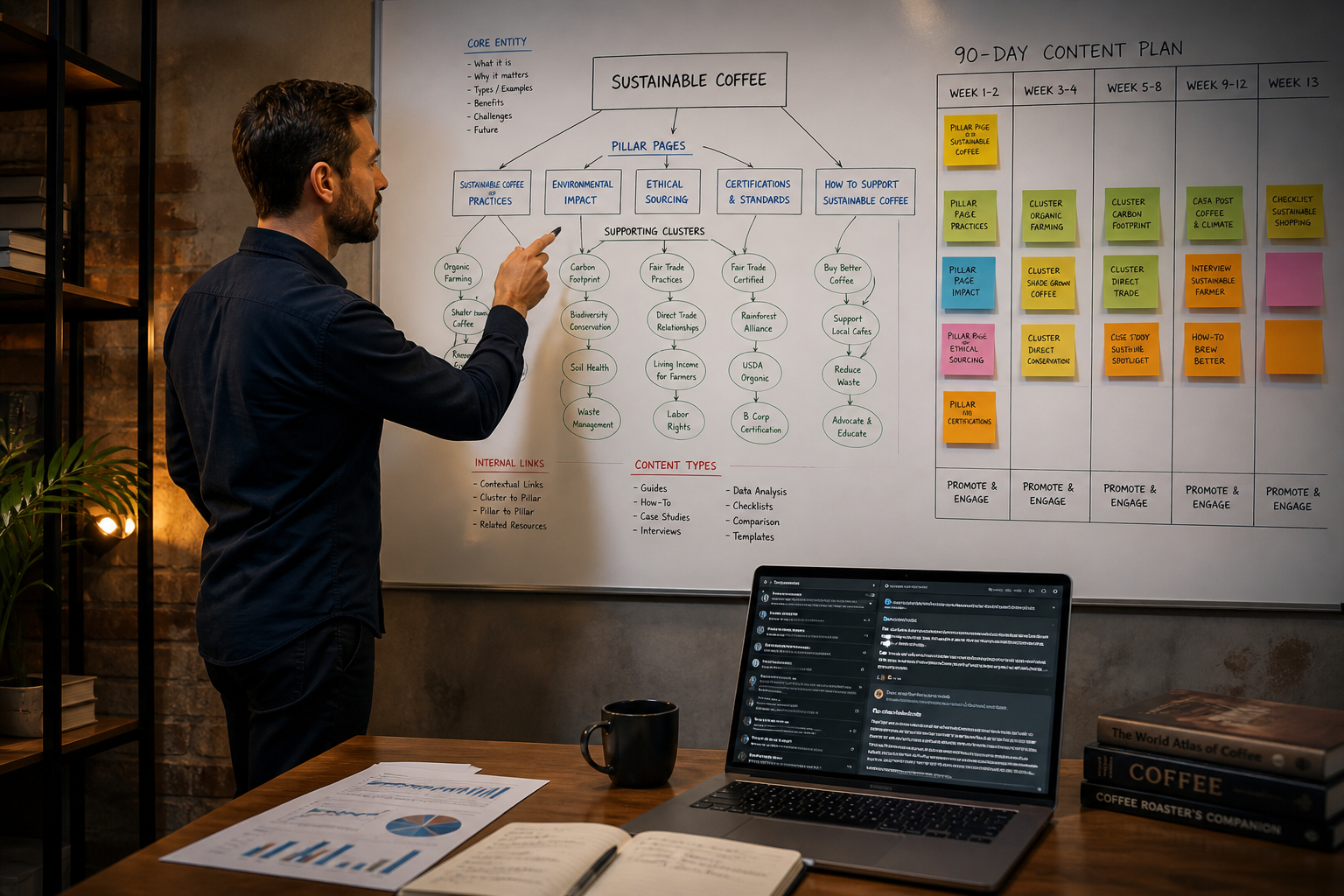
The skill emits a 10-phase sequence: source context, macro pillars, twin topics, crawl-budget staging. Treat that as a draft Gantt. Merge it with Search Console pages that already collect impressions so you do not spawn a third URL for the same intent.
Allow PerplexityBot if you want Perplexity search to keep seeing the new plan pages (Perplexity crawlers). robots.txt does not replace a unique H1.
Draft body copy with semantic copywriting in Perplexity after the map is locked. Planning and writing are separate skills on purpose.
FAQ
Can Perplexity replace Ahrefs or Google Keyword Planner?
No. It cites the open web. It does not return official search volume. Use it for entity coverage and source discovery.
How many supporting URLs should sit under one pillar?
Enough to cover distinct intents without overlapping H1s. Merge when two drafts share the same head query.
Should I publish the map as one giant article?
No. One URL per intent. The map is the inventory; the articles are the nodes.
What file does Perplexity Pro use for skills?
perplexity_geo_rules.md. The hub lists the supported slugs.
When do I run the CLI versus a chat prompt?
Chat for entity gaps. CLI when you need a repeatable 10-phase artifact tied to a domain.
Related reading
- Perplexity Pro SEO hub
- Universal seo-plan skill
- SERP overlap calculator
- Semantic copywriting in Perplexity
Sources
Perplexity Pro Configuration Blueprint (perplexity_geo_rules.md)
Paste this configuration block directly into your perplexity_geo_rules.md:
{
  "skills": {
    "seo-plan": {
      "methodology": "semantic-topical-authority",
      "phases": 10,
      "twinTopics": true
    }
  }
}What the Perplexity Pro AI SEO Strategy & Topical Roadmap Analyzes
Automated diagnostic data points evaluated during every execution run.
| Diagnostic Category | Specific Data Points Checked | Algorithmic Impact |
|---|---|---|
| Topical Authority Phasing | Source context definition, macro pillar sequencing, symmetrical twin topics | Prevents topical dilution and maximizes indexation velocity |
| Crawl Budget Scheduling | Publication frequency, internal link staging, index pinging | Ensures rapid Googlebot discovery without crawl throttling |
How to Execute AI SEO Strategy & Topical Roadmap in Perplexity Pro
Imperative configuration instructions with ready-to-run commands.
Step 1: Define Central Entity & Niche
Specify target niche, competitors, and domain authority goals.
seoskillsai plan init --niche "Developer Tools" --domain "example.com"Step 2: Generate 10-Phase Gantt Roadmap
AI creates prioritized CSV and markdown topical publishing schedules.
seoskillsai plan generate --phases 10 --output roadmap.mdDeploy This Skill on Other AI Coding Agents
Symmetric Twin Topics: Identical SEO capability configured for other agentic runtimes.